
Your cart
Your cart is empty


MyPetiteCar.com
Grandnavi HD Car DVR Dash Cam ADAS | 720P USB Voice Alarm for Android Car Radio
$71.08
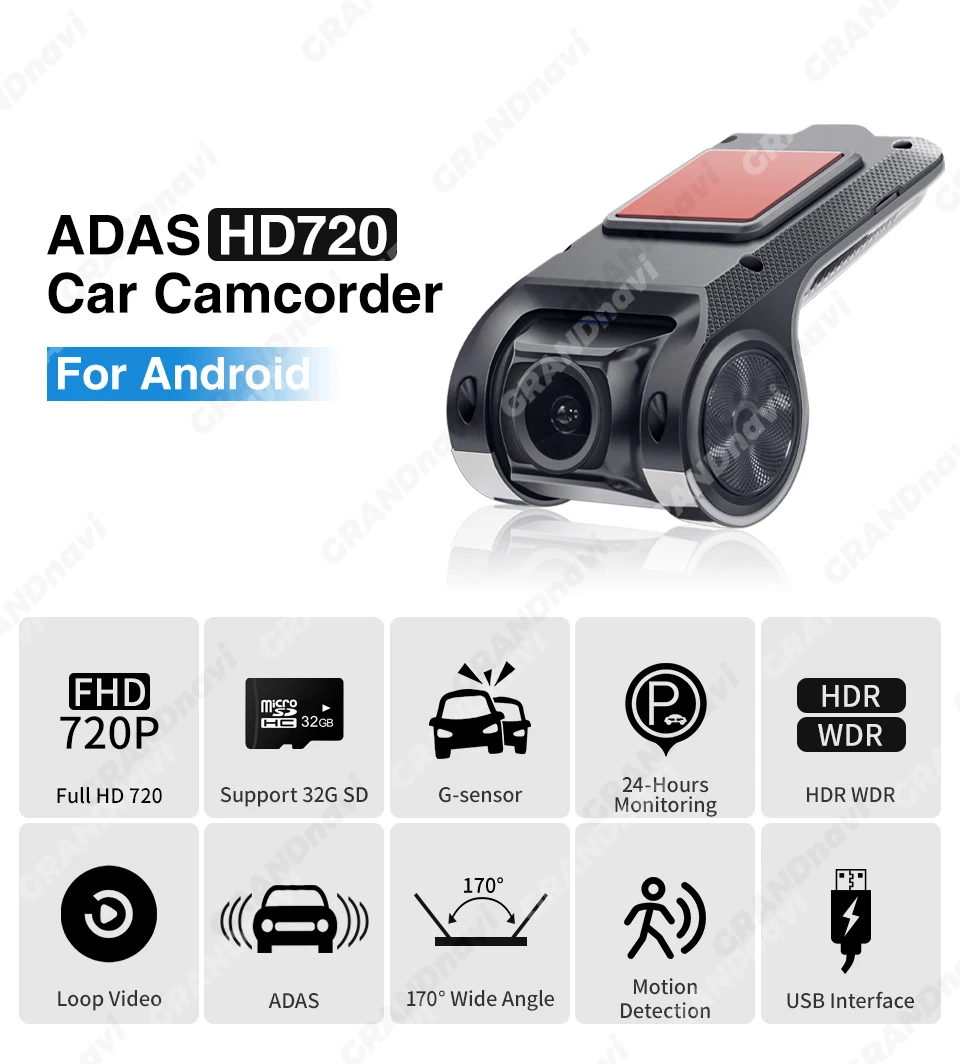
Add a smart layer of safety to your drive with the Grandnavi HD Car DVR Dash Cam. This compact, hidden-style camera connects directly to your Android car multimedia player to provide real-time video, lane departure warnings, and voice alerts. It records automatically when your car starts, so you never have to worry about missing a moment on the road.
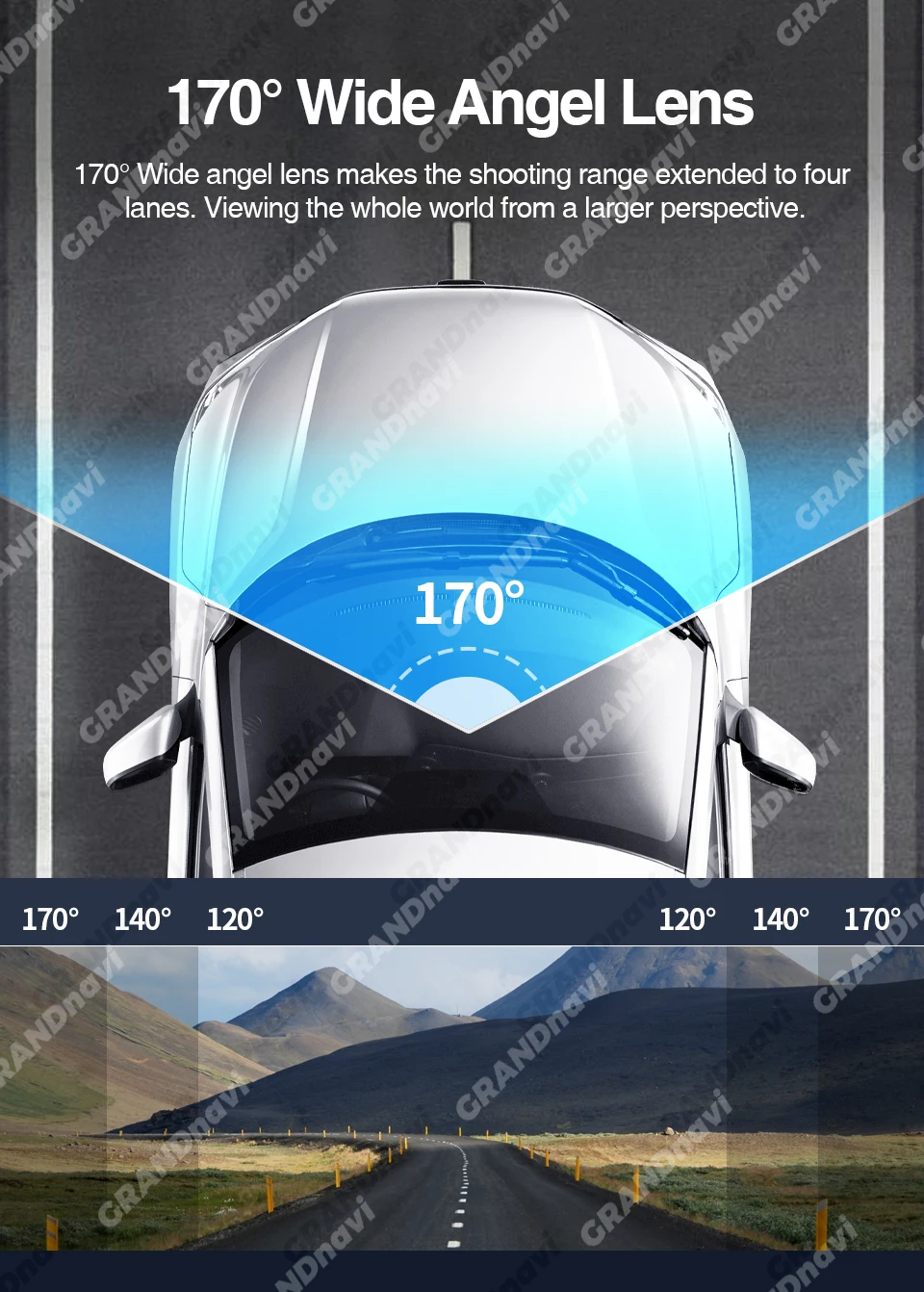
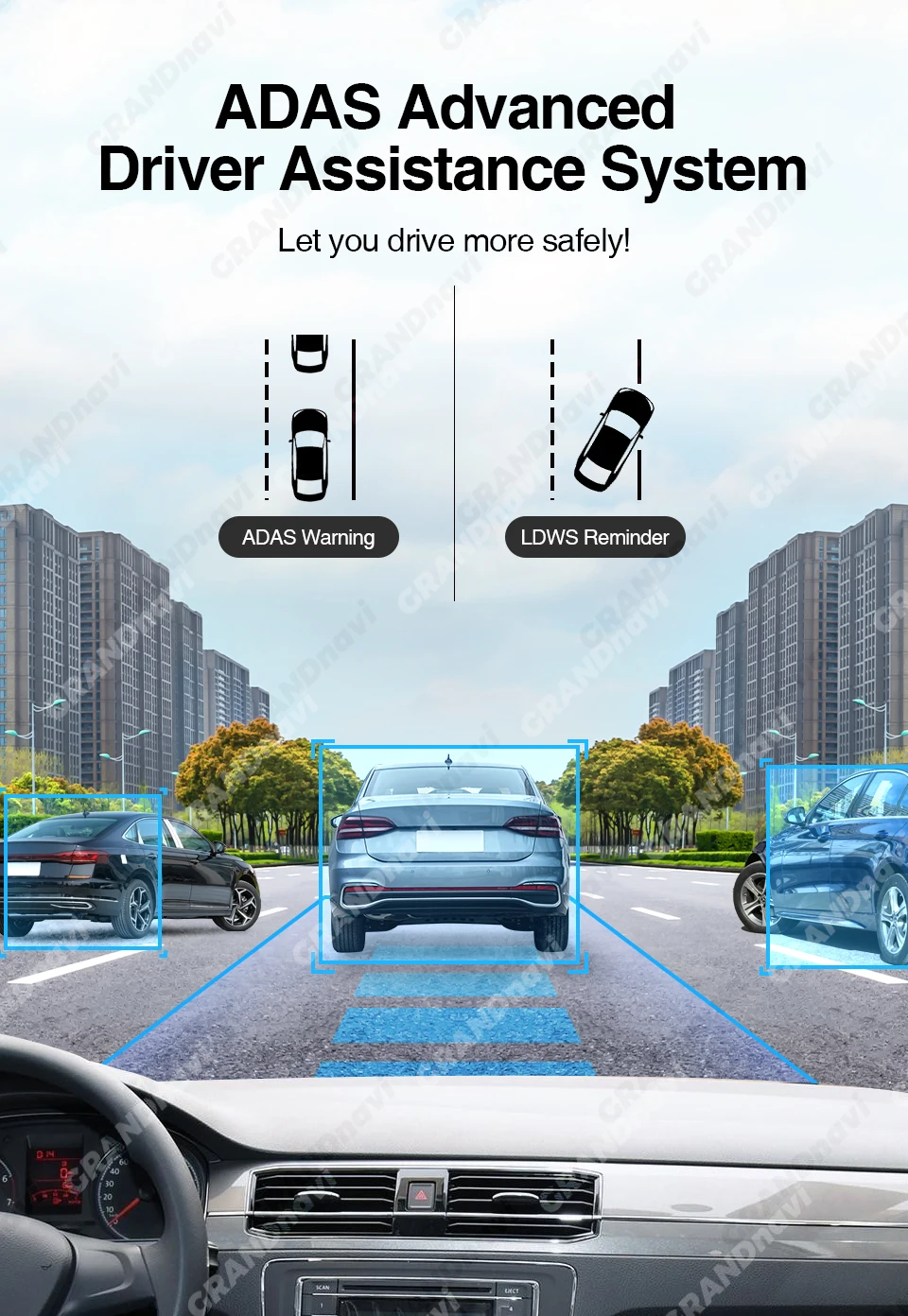
This dash cam is designed to work seamlessly with compatible Android car radios. It records in clear 720x480 resolution at 30 frames per second, capturing important details with a wide 170-degree viewing angle. The built-in ADAS system monitors your lane position and sounds a voice alarm if you drift, helping you stay focused and alert during long drives.
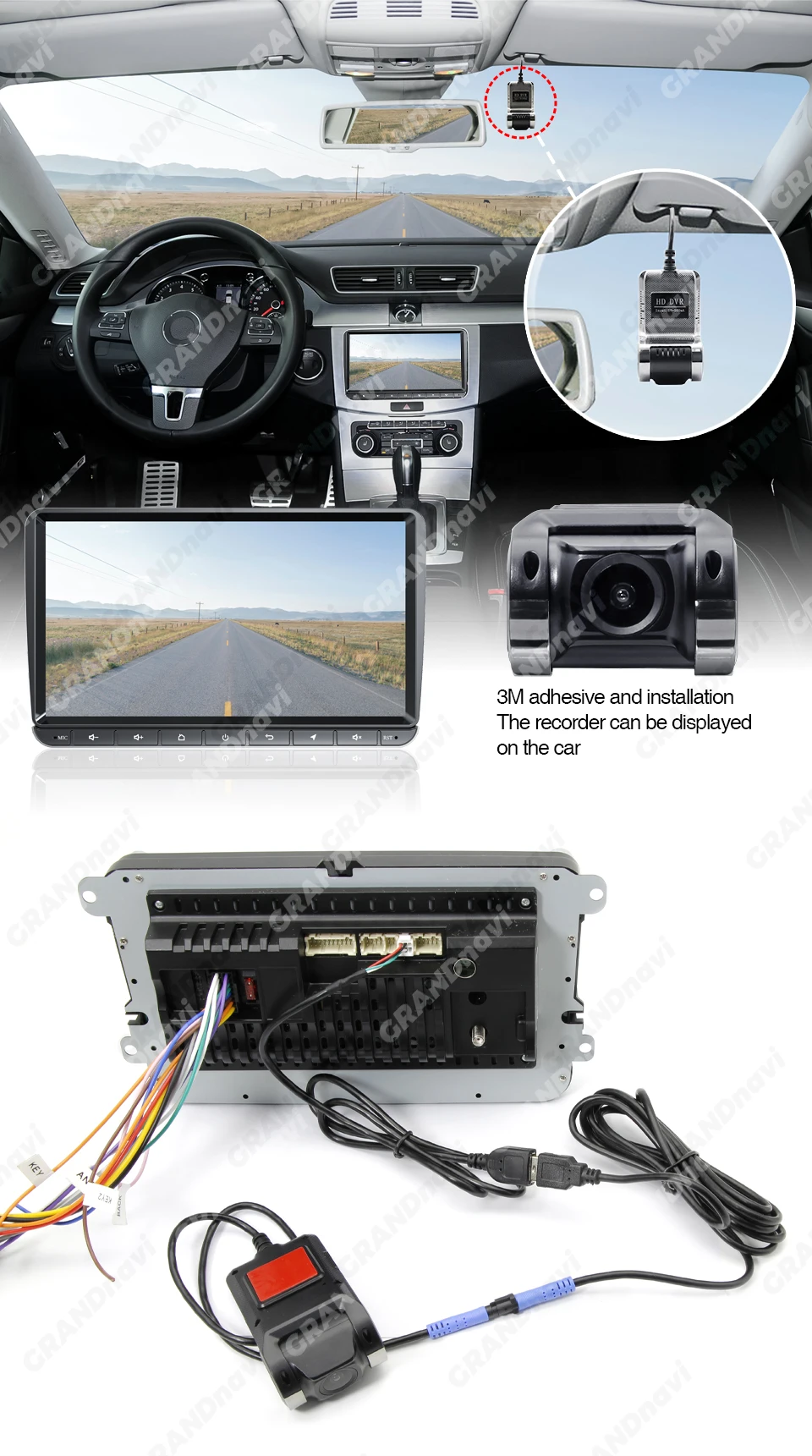
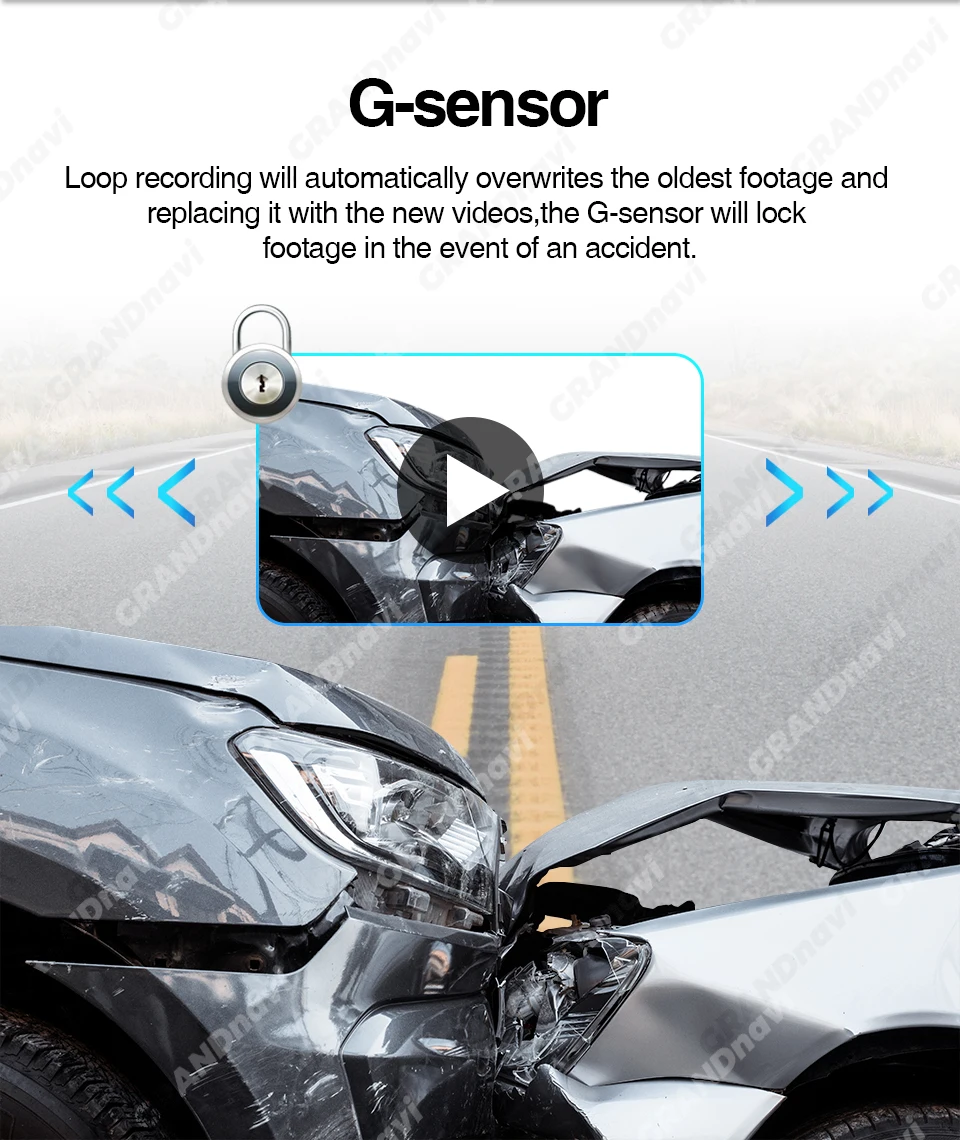
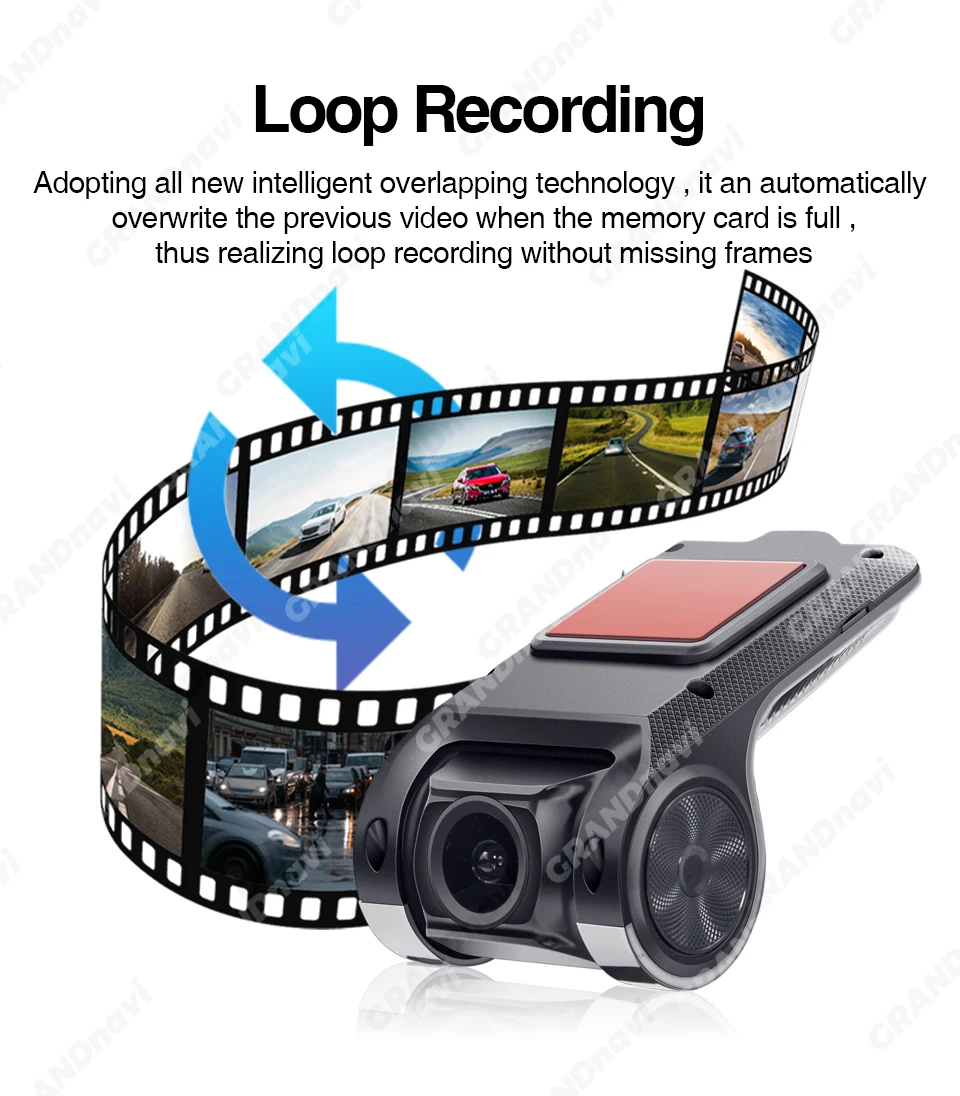
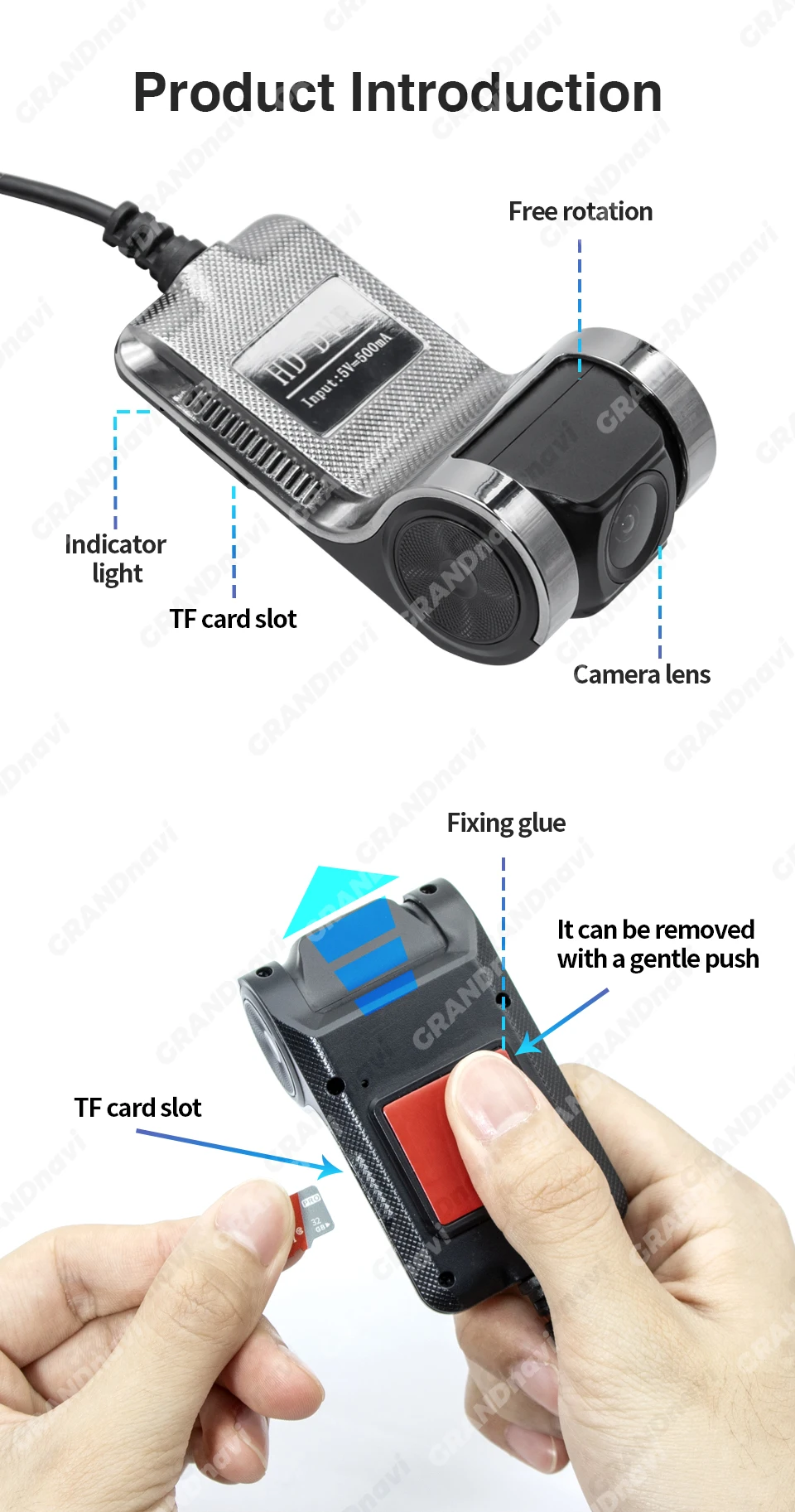
Installation is simple and clean. The hidden design mounts discreetly behind your rearview mirror, and the USB connection powers the camera and transmits video to your car's screen. With support for up to 32GB of TF storage, you get reliable loop recording that automatically overwrites old footage when the card is full.
Whether you are a daily commuter, a rideshare driver, or someone who wants extra peace of mind on the road, this DVR gives you a clear view of what is happening around your vehicle. The starlight night vision capability ensures you still get usable footage even in low-light conditions, making it a practical choice for round-the-clock driving.
Key Features and Benefits
- ADAS lane departure warning that triggers a voice alarm when you unintentionally drift from your lane, adding an extra layer of awareness to your drive
- 720x480 recording at 30fps with a 170-degree wide-angle lens that captures a broad view of the road ahead, reducing blind spots
- Automatic start and loop recording that begins when you power on your vehicle and continuously saves footage without manual intervention
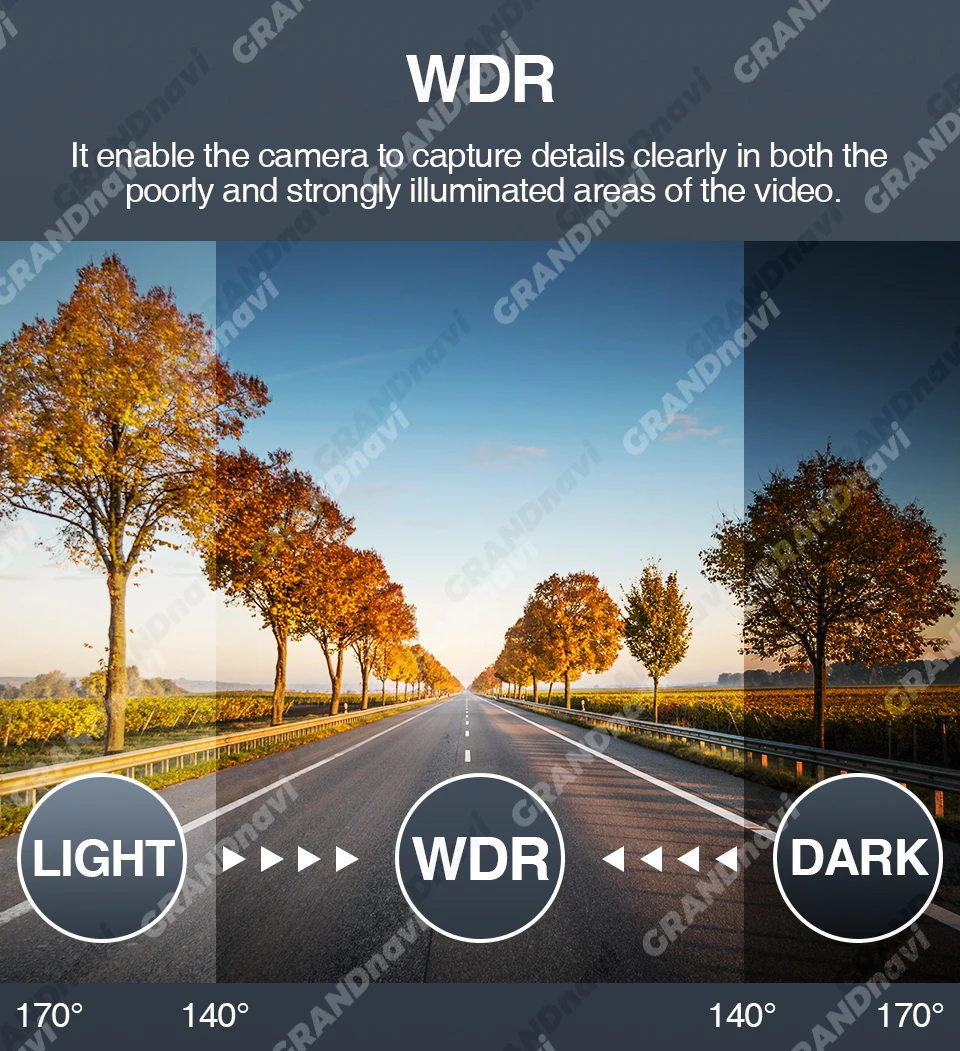
- Starlight night vision technology that delivers clearer video in low-light conditions, so your recordings remain useful even at night
- Hidden design that mounts out of sight behind the mirror, keeping your windshield free of clutter and maintaining a factory-like look
- USB connectivity that integrates directly with your Android car radio, allowing you to view live footage and manage recordings from your existing screen
Who Is This For
- Drivers who want to add a dash cam to their existing Android car stereo without buying a separate screen
- Daily commuters who drive long distances and want lane departure warnings to help reduce fatigue-related accidents
- Rideshare or delivery drivers who need reliable video evidence in case of an incident on the road
- Car owners who prefer a clean, hidden installation that does not block their view or require suction cups on the windshield
Usage Scenario
Mark drives 45 minutes each way to work, mostly on highways. One evening, a car swerved into his lane and he had to brake hard. His Grandnavi dash cam, connected to his Android car radio, had already been recording since he started the engine. Later, he was able to review the footage directly on his car screen. The ADAS feature also alerted him with a voice warning when he drifted slightly on a long straight stretch, helping him stay centered in his lane.
Micro Comparison
Unlike standalone dash cams that require their own display and mounting system, this unit works through your Android car radio, keeping your dashboard clean. It offers ADAS lane departure warnings, which many basic budget cameras lack. The starlight night vision also gives it an edge over standard cameras that struggle in low light, making it a better choice for drivers who are often on the road after sunset.
Specifications
- Camera Resolution: 720x480
- Frame Rate: 30fps
- Viewing Angle: 170 degrees
- Video Format: AVI
- Video Codec: H.264
- Interface: USB 2.0, Micro SD/TF
- Max External Memory: 32GB (Class 10 required)
- Special Features: G-Sensor, motion detection, real-time surveillance
- Power Source: Corded Electric
- Battery: None
Package Includes
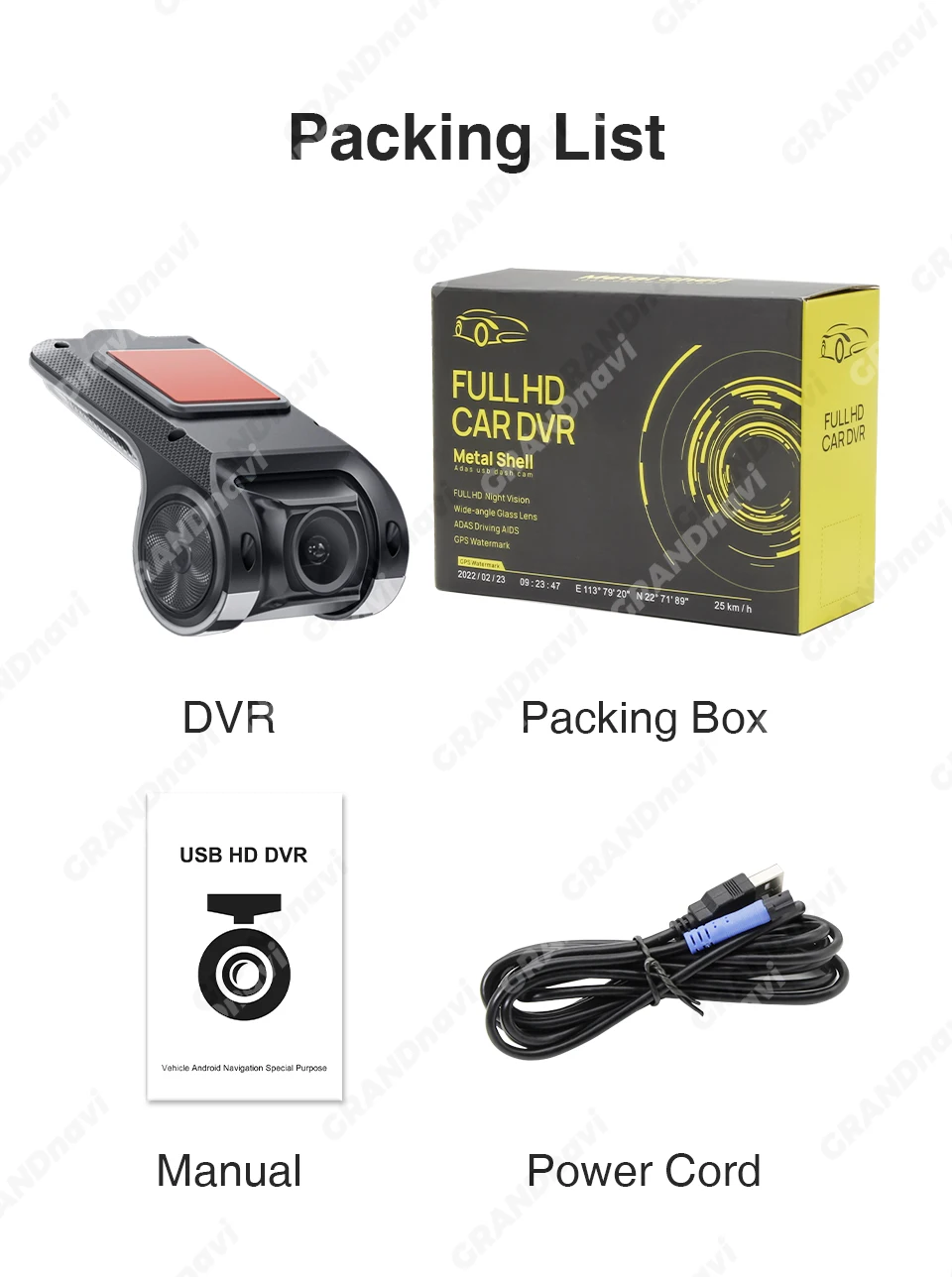
- 1 x Car DVR dash cam
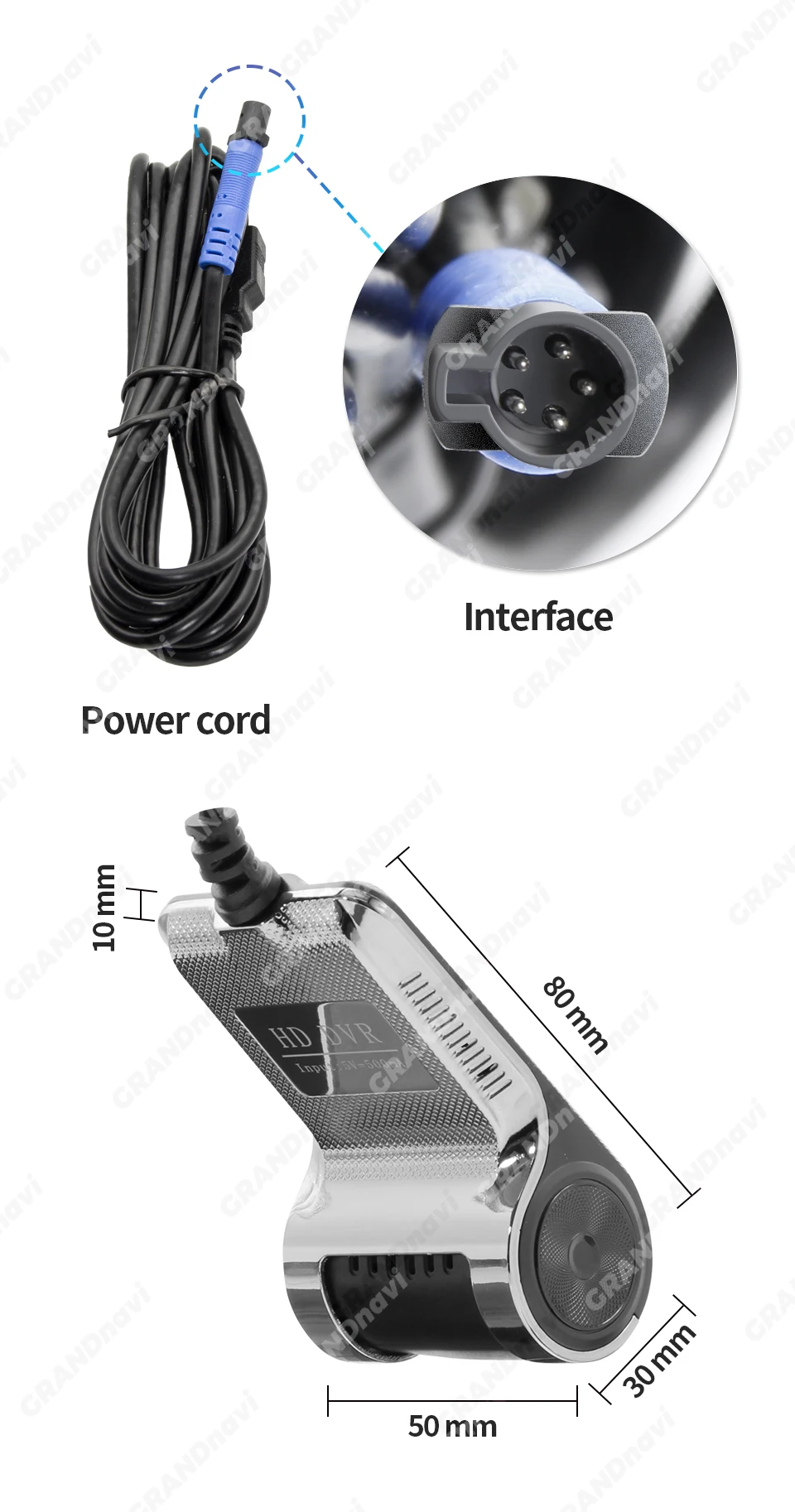
- 1 x USB cable
- 1 x 16GB or 32GB TF card (based on your selection)
Why You Will Love It
You get the peace of mind that comes with continuous recording and smart lane alerts, all without cluttering your windshield. The hidden installation keeps your car looking clean, and the integration with your Android radio means you control everything from one screen. It is a practical upgrade for anyone who spends time behind the wheel and wants to drive with more confidence.
Questions and Answers
Question: How do I install the DVR application on my car radio?
Answer: Connect the DVR to your Android car radio via USB. Open the file manager, find the Buildwin USB drive, tap to enter, and then tap to run the uCardvr.apk file to install the app.
Question: Does this dash cam work with any car stereo?
Answer: No, it is designed specifically for compatible Android multimedia players. It will not work with original factory car stereos that do not run Android.
Question: How do I enable the ADAS lane departure warning?
Answer: Open the DVR app settings, find the ADAS menu, and turn on all functions. You may also need to update the software by connecting to WiFi and tapping Update.
Question: Can I view recorded videos directly on my car screen?
Answer: The DVR shows live video in real time. To watch recorded clips, remove the SD card and use a card reader to view the files on a computer.
Question: Does this dash cam have a built-in battery?
Answer: No, there is no internal battery. The camera is powered through the USB cable connected to your car radio.
Question: What memory card do I need?
Answer: You need a Micro SD/TF card with a Class 10 speed rating. The maximum supported capacity is 32GB.
Grandnavi HD Car DVR Dash Cam ADAS | 720P USB Voice Alarm for Android Car Radio
$71.08
Delivery estimates and shipping options are shown at checkout.
Payment methods
$71.08
$71.08
Add a smart layer of safety to your drive with the Grandnavi HD Car DVR Dash Cam. This compact, hidden-style camera connects directly to your Android car multimedia player to provide real-time video, lane departure warnings, and voice alerts. It records automatically when your car starts, so you never have to worry about missing a moment on the road.
This dash cam is designed to work seamlessly with compatible Android car radios. It records in clear 720x480 resolution at 30 frames per second, capturing important details with a wide 170-degree viewing angle. The built-in ADAS system monitors your lane position and sounds a voice alarm if you drift, helping you stay focused and alert during long drives.
Installation is simple and clean. The hidden design mounts discreetly behind your rearview mirror, and the USB connection powers the camera and transmits video to your car's screen. With support for up to 32GB of TF storage, you get reliable loop recording that automatically overwrites old footage when the card is full.
Whether you are a daily commuter, a rideshare driver, or someone who wants extra peace of mind on the road, this DVR gives you a clear view of what is happening around your vehicle. The starlight night vision capability ensures you still get usable footage even in low-light conditions, making it a practical choice for round-the-clock driving.
Key Features and Benefits
- ADAS lane departure warning that triggers a voice alarm when you unintentionally drift from your lane, adding an extra layer of awareness to your drive
- 720x480 recording at 30fps with a 170-degree wide-angle lens that captures a broad view of the road ahead, reducing blind spots
- Automatic start and loop recording that begins when you power on your vehicle and continuously saves footage without manual intervention
- Starlight night vision technology that delivers clearer video in low-light conditions, so your recordings remain useful even at night
- Hidden design that mounts out of sight behind the mirror, keeping your windshield free of clutter and maintaining a factory-like look
- USB connectivity that integrates directly with your Android car radio, allowing you to view live footage and manage recordings from your existing screen
Who Is This For
- Drivers who want to add a dash cam to their existing Android car stereo without buying a separate screen
- Daily commuters who drive long distances and want lane departure warnings to help reduce fatigue-related accidents
- Rideshare or delivery drivers who need reliable video evidence in case of an incident on the road
- Car owners who prefer a clean, hidden installation that does not block their view or require suction cups on the windshield
Usage Scenario
Mark drives 45 minutes each way to work, mostly on highways. One evening, a car swerved into his lane and he had to brake hard. His Grandnavi dash cam, connected to his Android car radio, had already been recording since he started the engine. Later, he was able to review the footage directly on his car screen. The ADAS feature also alerted him with a voice warning when he drifted slightly on a long straight stretch, helping him stay centered in his lane.
Micro Comparison
Unlike standalone dash cams that require their own display and mounting system, this unit works through your Android car radio, keeping your dashboard clean. It offers ADAS lane departure warnings, which many basic budget cameras lack. The starlight night vision also gives it an edge over standard cameras that struggle in low light, making it a better choice for drivers who are often on the road after sunset.
Specifications
- Camera Resolution: 720x480
- Frame Rate: 30fps
- Viewing Angle: 170 degrees
- Video Format: AVI
- Video Codec: H.264
- Interface: USB 2.0, Micro SD/TF
- Max External Memory: 32GB (Class 10 required)
- Special Features: G-Sensor, motion detection, real-time surveillance
- Power Source: Corded Electric
- Battery: None
Package Includes
- 1 x Car DVR dash cam
- 1 x USB cable
- 1 x 16GB or 32GB TF card (based on your selection)
Why You Will Love It
You get the peace of mind that comes with continuous recording and smart lane alerts, all without cluttering your windshield. The hidden installation keeps your car looking clean, and the integration with your Android radio means you control everything from one screen. It is a practical upgrade for anyone who spends time behind the wheel and wants to drive with more confidence.
Questions and Answers
Question: How do I install the DVR application on my car radio?
Answer: Connect the DVR to your Android car radio via USB. Open the file manager, find the Buildwin USB drive, tap to enter, and then tap to run the uCardvr.apk file to install the app.
Question: Does this dash cam work with any car stereo?
Answer: No, it is designed specifically for compatible Android multimedia players. It will not work with original factory car stereos that do not run Android.
Question: How do I enable the ADAS lane departure warning?
Answer: Open the DVR app settings, find the ADAS menu, and turn on all functions. You may also need to update the software by connecting to WiFi and tapping Update.
Question: Can I view recorded videos directly on my car screen?
Answer: The DVR shows live video in real time. To watch recorded clips, remove the SD card and use a card reader to view the files on a computer.
Question: Does this dash cam have a built-in battery?
Answer: No, there is no internal battery. The camera is powered through the USB cable connected to your car radio.
Question: What memory card do I need?
Answer: You need a Micro SD/TF card with a Class 10 speed rating. The maximum supported capacity is 32GB.
Recently viewed products

- Choosing a selection results in a full page refresh.
- Opens in a new window.